

Professional Google Analytics Setup and Monitoring for Apartment Communities
Most apartment communities are investing in multiple marketing channels simultaneously—SEO, PPC, ILS listings, social media, email, direct mail—but have no reliable way to know which ones are actually producing their leasing leads. They make budget decisions based on gut instinct, vendor-reported metrics that measure the wrong things, or the anecdotal memory of where the last few prospects mentioned hearing about the community. Apartment communities with properly configured Google Analytics consistently identify that one or two channels generate the majority of their qualified website leads—and that several channels they are paying for are generating almost nothing. That knowledge is worth thousands of dollars in redeployable marketing budget every single month. Our specialized multifamily Google Analytics setup and monitoring services give apartment communities throughout Los Angeles, California, and nationwide the precise, trustworthy data infrastructure that transforms marketing from a cost center into a measurable, optimizable driver of leasing performance.
With over 10 years configuring analytics for apartment community websites, we understand the specific tracking requirements, conversion events, and reporting structures that make Google Analytics genuinely useful for multifamily marketing decisions—rather than a source of impressive-looking charts that no one can act on.
What is Google Analytics for Apartment Communities?
Google Analytics 4 (GA4) is Google's free web analytics platform that, when correctly installed and configured on your apartment website, tracks every meaningful interaction a prospective renter has with your site: how they found you (organic search, paid ad, social media, direct, referral), which pages they visited and in what sequence, how long they spent on each page, which device and browser they used, where they were located when they visited, and—most importantly for leasing teams—whether they completed a conversion action such as submitting a contact form, clicking your phone number, starting a virtual tour, downloading a floor plan, or initiating an online application. A correctly configured GA4 property does not just tell you how many people visited your website. It tells you which marketing investments are producing the prospects most likely to become residents—and which ones are consuming budget with nothing to show for it.
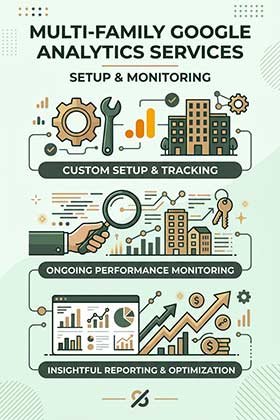
Our Google Analytics Services for Apartments Include:
Why Choose Our Apartment Analytics Services?
1. Multifamily-Specific Conversion Tracking Architecture
Setting up Google Analytics correctly for an apartment website is not the same as setting it up correctly for an e-commerce store or a service business. The conversion events that matter in apartment marketing—a phone number click from a mobile prospect at 9pm on a Sunday, a virtual tour initiation from a prospect who found you through an organic neighborhood search, a floor plan PDF download followed by an application start three days later—require a tracking architecture specifically designed around the multifamily leasing funnel. We configure conversion tracking for every meaningful prospect interaction on apartment websites, building a data model that reflects how renters actually behave when evaluating your community rather than a generic configuration that misses the actions most predictive of a signed lease.
2. Data You Can Actually Act On
The most common analytics failure in apartment marketing is not a lack of data—it is an abundance of uninterpreted data that no one on the leasing or marketing team has the time or expertise to analyze and translate into decisions. We configure custom dashboards and produce monthly reporting specifically designed for multifamily marketing teams: clear channel performance summaries that show cost-per-lead by source, conversion rate by landing page, mobile versus desktop behavior differences, peak traffic timing by day and hour, and the specific content and pages that are driving the most leasing inquiry actions. Every metric in our reporting is chosen because it informs a specific marketing decision—not because it fills a slide.
3. Correct Setup From Day One
An improperly configured Google Analytics account is often worse than no analytics at all—because it creates the illusion of data-informed decision-making while the underlying numbers are wrong. Missing conversion tags, miscategorized traffic sources, unfiltered internal visits inflating traffic numbers, duplicate tracking code producing double-counted sessions, and broken integrations between GA4 and Google Ads are all common problems we find during analytics audits of apartment websites that appear to have analytics running. We build every setup correctly from the beginning, verify every tracking trigger is firing accurately in real conditions across multiple devices and browsers, and document the complete implementation so future team members or vendors understand exactly what is tracked and why.
4. Continuous Monitoring That Catches Problems Before They Cost You
Analytics configurations break over time—website updates disable tracking tags, form providers change submission methods that stop conversion tracking, new pages launch without the tracking code, and Google periodically updates GA4 in ways that require configuration adjustments. An analytics setup that worked perfectly at launch and has not been reviewed in six months is almost certainly missing data somewhere. Our ongoing monthly monitoring includes regular verification that all key conversion events are firing correctly, investigation of any anomalies in traffic or conversion data that might indicate a tracking issue, and proactive updates to the configuration whenever website changes or platform updates require them.
"We had been paying for three ILS platforms for years because 'they all contribute somehow.' After getting proper analytics set up, we discovered that one platform was generating over 60% of our qualified web traffic and the other two combined were generating less than 8%. We reallocated the budget immediately and our cost-per-lease dropped by almost a third within 90 days."
- Marketing Manager, 275-unit community in Woodland Hills, California
The Benefits of Proper Google Analytics for Apartment Communities
Know Your True Cost Per Lead by Channel
Without accurate conversion tracking, every marketing channel your apartment community invests in is essentially operating in the dark. You know what each channel costs. You do not know what each channel produces. Properly configured Google Analytics with conversion tracking changes this entirely—giving you a clear, comparable cost-per-lead figure for every traffic source, from organic Google search to paid ILS referrals to social media to direct mail-driven website visits. When you can see that your SEO program is producing leads at $18 each while a specific ILS platform is producing them at $340 each, the budget reallocation decision becomes obvious rather than political. This clarity is the most immediately valuable output of a well-configured analytics setup.
Identify the Website Pages That Are Losing Prospects
Traffic analysis alone tells you how many people visit each page of your apartment website. Conversion-integrated analytics tells you which pages are actively losing prospects who arrived with genuine interest. A floor plans page with a high bounce rate and low conversion to contact form tells you there is friction in your unit type presentation. A mobile homepage that shows dramatically lower engagement than desktop tells you your mobile experience needs attention. A pricing page that generates high traffic but almost no downstream contact form submissions tells you your pricing presentation may be misaligned with your target demographic's expectations. These insights are invisible without analytics—and they are directly actionable once you have them.
Understand Exactly When Your Prospects Are Looking
Google Analytics time-of-day and day-of-week traffic data reveals patterns in prospect behavior that inform smarter marketing decisions across every channel. If 70% of your contact form submissions happen between 7pm and 10pm on weekdays and Sunday afternoons, that data should inform when your paid search ads run at full bid, when your social media posts are scheduled, when your leasing team has coverage for live chat or rapid phone response, and when your email campaigns land in prospect inboxes. Most apartment communities have no idea when their best prospects are most active—and their marketing schedules reflect that ignorance. Analytics makes the timing patterns visible and actionable.
Make Every Subsequent Marketing Investment Smarter
A properly configured Google Analytics account does not just report on past performance—it compounds in value over time as accumulated data reveals increasingly specific patterns about your prospect audience, your website's conversion architecture, and your marketing channels' relative effectiveness. Communities that have been collecting accurate analytics data for 12 to 24 months make categorically better marketing investment decisions than those starting from scratch—because they can see seasonal patterns, track the impact of website changes on conversion rates, measure the incremental effect of new marketing channels on overall lead volume, and predict with confidence which investments will produce the strongest return in their specific market. Analytics is infrastructure. The longer it runs correctly, the more valuable it becomes.
Our Google Analytics Setup Process
Phase 1: Analytics Audit & Requirements Assessment (Days 1-2)
We begin by auditing your current analytics situation—whether you have an existing GA4 property, a legacy Universal Analytics setup, no analytics at all, or a misconfigured implementation producing unreliable data. We review your website's technical architecture to determine the correct implementation approach, catalog all conversion events that need to be tracked, identify any existing integrations with Google Ads, Search Console, or third-party platforms that need to be preserved or rebuilt, and document the specific reporting requirements of your leasing and marketing team. This audit produces a clear implementation plan before any configuration work begins.
Phase 2: GA4 Property Setup & Tag Manager Implementation (Days 2-5)
We create or configure the GA4 property with correct data stream settings, implement Google Tag Manager on your website with a clean container structure that allows for maintainable future additions, configure all base GA4 tracking including enhanced measurement events, set up internal traffic filters to exclude your team's own visits from the data, and establish the correct session and engagement timeout settings for apartment website behavior patterns. Where a Google Ads account exists, we link it to the GA4 property and import conversion actions so paid campaign reporting reflects actual website behavior rather than just ad platform metrics.
Phase 3: Conversion Tracking Configuration (Days 4-7)
This is the most technically involved and most important phase of the setup. We configure custom event tracking for every meaningful prospect conversion action on your website: contact form submissions with form-type distinction (general inquiry versus tour request versus specific unit inquiry), phone number click tracking for mobile visitors, virtual tour initiation and completion, floor plan download and view events, online application start and completion, live chat initiation, and any other conversion action specific to your website's architecture. Each event is tested across multiple devices and browsers, verified in the GA4 real-time reports, and marked as a key conversion event in the GA4 configuration.
Phase 4: Dashboard Setup, Integration & Reporting (Days 7-10)
With tracking confirmed accurate, we build the custom reporting structure your team will use on an ongoing basis: a leasing performance dashboard showing conversion volume and rate by channel, a traffic source comparison report, a top-converting pages report, a mobile versus desktop behavior comparison, and any additional views requested during the requirements assessment. We connect Google Search Console to the GA4 property for integrated organic search reporting and set up the UTM parameter naming convention your team will use to correctly tag all outbound marketing campaigns. We deliver a brief training session and written documentation so your team understands how to navigate the reports and interpret the key metrics.
What We Track for Apartment Communities
Lead Source Attribution
Understanding which marketing channels are driving traffic to your apartment website is the foundation of every budget allocation decision. We configure GA4 channel groupings specifically for multifamily marketing—distinguishing between organic Google search, Google Ads paid search, ILS referral traffic, social media organic and paid, direct traffic, email campaigns, and any other channels relevant to your marketing mix. Where standard GA4 channel attribution does not correctly categorize specific traffic sources—a common issue with ILS referral traffic that GA4 may misclassify—we implement custom channel definitions that produce accurate source attribution for every session.
Conversion Funnel Analysis
Beyond simply counting conversions, we configure funnel analysis that shows how prospects move through the key stages of your website's leasing journey—from landing page entry through floor plan review through contact form submission. Funnel visualization reveals exactly where in the process prospects are dropping off, allowing targeted optimization of the specific pages and transitions that are losing the most qualified traffic. For apartment websites with an online application flow, we track each step of the application process individually to identify where applicants abandon before completing.
Engagement & Behavior Analysis
Beyond traffic volume and conversions, we track the behavioral signals that indicate prospect quality and intent: average engagement time on key pages, scroll depth on the floor plans and amenities pages, video play rates for community or unit tour videos, return visitor frequency, and the specific page sequences that precede conversion actions. These behavioral metrics reveal which content is most effective at building the engagement that leads to a contact, and which pages are receiving traffic without generating meaningful engagement—signaling content or design problems that are quietly costing conversions.
Campaign Performance Tracking
Every paid marketing campaign your apartment community runs—Google Ads, Meta Ads, ILS enhanced listings, email campaigns, direct mail with QR codes—should be tagged with UTM parameters that allow GA4 to attribute the resulting website traffic and conversions back to the specific campaign, ad group, and creative that produced them. We implement the UTM tagging strategy and naming conventions that make this campaign-level attribution possible, and we build the reporting views that allow you to compare campaign performance across channels on a consistent, apples-to-apples basis rather than relying on each platform's self-reported metrics, which are notoriously inconsistent with each other.
Frequently Asked Questions About Apartment Google Analytics
We already have Google Analytics installed—do we need this service?
Possibly—the fact that Google Analytics is installed and the fact that it is configured correctly are two very different things. In our experience auditing the analytics setups of apartment websites that appear to have tracking running, the majority have significant configuration gaps: missing or broken conversion tracking, internal traffic that has never been filtered out inflating session counts, incorrect channel groupings misattributing traffic sources, and no custom dashboards configured for leasing-relevant reporting. The most reliable way to know whether your current setup is trustworthy is an analytics audit, which we offer as a standalone service. We will tell you honestly whether your current setup is sound or whether reconfiguration will produce meaningfully more accurate and actionable data.
Do we need Google Tag Manager or can analytics be installed directly?
Both approaches are technically viable, but Google Tag Manager is strongly recommended for apartment websites because it makes all future tracking additions and modifications significantly easier without requiring direct edits to your website's code. When your marketing team wants to add conversion tracking for a new form, track clicks on a new call-to-action button, or implement a new advertising platform's pixel, Tag Manager allows these additions to be made quickly and cleanly by a marketing analyst rather than requiring a developer to edit the website code each time. For websites where multiple marketing vendors need to implement tracking tags, Tag Manager also prevents the tracking code conflicts and performance impacts that arise when multiple vendors add their own code directly to the site.
What is the difference between GA4 and Universal Analytics?
Universal Analytics was Google's previous analytics platform, which Google officially discontinued in July 2023 and stopped processing new data. GA4 is the current platform, rebuilt around an event-based data model rather than the session-based model of Universal Analytics. The two platforms look and behave quite differently, and many of the metrics and reports that leasing teams relied on in Universal Analytics work differently or need to be reconfigured in GA4. If your apartment website's analytics were set up several years ago and have not been reviewed recently, there is a reasonable chance the setup needs to be migrated and reconfigured for GA4 rather than simply maintained.
Can analytics help us understand why our website is not converting visitors into leads?
Yes—conversion rate analysis is one of the most valuable applications of a correctly configured GA4 setup for apartment communities. By comparing conversion rates across different traffic sources, devices, landing pages, and time periods, analytics can often pinpoint the specific cause of poor conversion performance: mobile visitors converting at a fraction of the desktop rate indicating a mobile UX problem, paid traffic converting poorly from a specific landing page indicating a message mismatch, a contact form page showing high traffic but low submission rates indicating a form friction issue. These insights give you a specific, evidence-based direction for website improvements rather than requiring guesswork about why the website is underperforming.
How much does Google Analytics setup and monitoring cost?
A comprehensive GA4 setup for an apartment website—including property configuration, Tag Manager implementation, full conversion tracking, Google Ads linking, Search Console integration, and custom dashboard setup—typically ranges from $1,200 to $2,800 as a one-time project fee depending on website complexity and the number of conversion events requiring custom tracking. Ongoing monthly analytics monitoring and reporting is available as a retainer service typically ranging from $300 to $700 monthly, depending on the depth of monthly analysis and reporting required. Analytics audit services for existing setups are available as a standalone project. Contact us for a customized proposal based on your website's specific setup and your team's reporting needs.
Ready to Stop Guessing and Start Knowing?
Every dollar your apartment community spends on marketing without accurate analytics is a dollar allocated by assumption rather than evidence. Some of those assumptions will happen to be right. Many will not be—and you will not know which until a properly configured analytics setup reveals the gap between what you believed was working and what the data shows was actually producing your leads. Our professional multifamily Google Analytics services help apartment communities throughout Los Angeles, California, and nationwide build the data infrastructure that makes every subsequent marketing investment smarter, every budget reallocation decision more confident, and every conversation with ownership about marketing performance grounded in clear, trustworthy numbers.
Contact us today for a free analytics audit and we will assess your current setup, identify every tracking gap and configuration error, and show you exactly what accurate, complete analytics data would reveal about your apartment website's marketing performance—with no obligation.
Related Analytics & Marketing Services
Build a complete data-informed marketing program with our other specialized apartment analytics and marketing services: